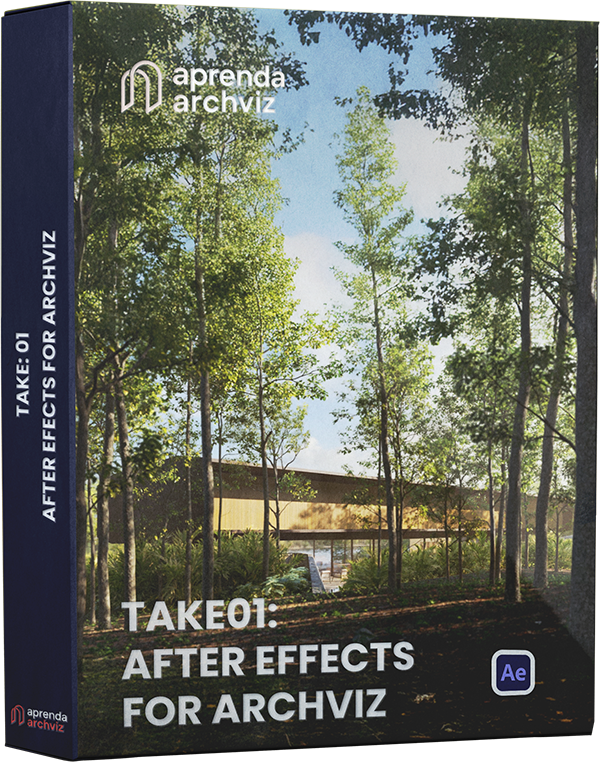
TAKE 01: AFTER EFFECTS FOR ARCHVIZ
Master compositing techniques in After Effects, developed through daily work on complex Archviz projects, to elevate the quality of your work.
Special Offer
From US$234 to just US$117.
- This course was originally recorded in Portuguese and professionally dubbed into English. Each script was manually translated and adapted before being dubbed using high-quality AI to ensure maximum clarity and accuracy.
100% Secure Purchase
Purchase with confidence! You’re protected by our 15 day money back guarantee. If you’re not happy, we’ll refund you. No questions asked. Join today!

ABOUT THE COURSE
Elevate the quality of your 3D animations with professional post production techniques. From beginner to intermediate, you’ll learn After Effects from scratch, mastering compositing and color grading. The course includes 3 complete scenes plus 4 additional practice projects, 1 year of support, access to a Discord community, and lifetime access for early students. Built on real world projects, it’s perfect for Archviz artists and CGI enthusiasts seeking professional results—whether using Corona Render as the course’s base or other tools. Start raising the standard of your projects today!
Approach to the Market
The entire course was developed from real-world projects, reflecting the daily demands of the market.
Learn the Software from Scratch
This course was created for anyone who has never used After Effects. You’ll learn the software from scratch, mastering the essential tools that make a real difference in architectural visualization.
Tested Workflow
Everything in this course has been designed, tested, and proven to meet the real demands of the Archviz market. It’s the same streamlined workflow used by top studios, ready for you to apply directly to your own projects.
Adapt to Any Software
In this course, we explain everything in After Effects using Corona Render’s render elements. However, the concepts you will learn here can be applied to your post-production, even if you use other rendering software.
WHAT WILL YOU LEARN IN THE COURSE?
Module 2 Scene
1. Introduction to Post-Production
2. You’ll explore key areas of 2D, such as Rotoscoping, Clean Up, Matte Painting, Compositing, and Color. In Archviz, these appear more subtly but make all the difference. We’ll place special emphasis on Compositing and Color so you can master techniques that take your projects to the next level.
3. We’ll cover the main plugins used throughout the course.
2. Interface and Basic Tools
1. Introduction to Post-Production
2. Interface and Basic Tools
3. Fundamentals of Compositing for Archviz
4. Practical Module: High-Duration Exterior Scene
5. Practical Module: Scene with 180° Camera
6. Drone Video Insertion (Coming Soon)
7. AI with After Effects (Coming Soon)
Module 2 Scene
Module 4 Scene
3. Fundamentals of Compositing for Archviz
4. Practical Module: High-Duration Exterior Scene
Module 4 Scene
Module 5 Scene
5. Practical Module: Scene with 180° Camera
6. Drone Video Insertion (Coming Soon)
7. AI with After Effects (Coming Soon)
Cena Módulo 5
20H
With 20 hours of content, this course was designed to introduce After Effects to those who have never used the software. Additionally, students will be able to develop their own post-production projects in Archviz.
3 Scenes
In the course, we will develop 3 projects, exploring all the necessary workflow. Each project was designed to consolidate the concepts learned.
4 Extra Scenes
We will NOT provide all the scenes from the lessons, but all students will have access to 4 extra scenes that are not covered in the lessons. These extra materials are for you to practice and apply the concepts you’ve learned.
Community
Discord Community for students to interact, resolve questions with the instructor, and receive feedback.
Lifetime Access
Lifetime access and future updates.
Support
1 year of support to ask questions with the instructor via Discord.
Improve your skills and learn to produce stunning images.

100% Secure Purchase
Purchase with confidence! You’re protected by our 15 day money back guarantee. If you’re not happy, we’ll refund you. No questions asked. Join today!
WHO WILL BE YOUR INSTRUCTOR?
Marcos Silveira
He is the instructor of the post-production course with After Effects, with 8 years of experience working in Archviz studios.
Marcos has a background in Graphic Design and currently provides post-production services to several national and international studios.
WHO WILL BE YOUR INSTRUCTOR?
Marcos Silveira
He is the instructor of the post-production course with After Effects, with 8 years of experience working in Archviz studios.
Marcos has a background in Graphic Design and currently provides post-production services to several national and international studios.
FAQ | FREQUENTLY ASKED QUESTIONS
Is this course for me?
This course is for 3D artists looking to improve their work or compositing artists who want to learn the entire post-production process for Archviz in After Effects.
I don't know After Effects. Can I take the course?
Yes! The course was designed for those who have never used the software, teaching everything from scratch.
Does this course teach 3D?
No, the course practice is predominantly concentrated on After Effects, with rare occasions where we will address a 3D interface.
Can I download or share my user account?
It is not permitted to download or share the course. Doing so may result in the permanent blocking of access without the right to a refund.
How does course support work?
Course support is provided through the Discord community, accessible via the link pinned on the course platform. In the community, students can clarify doubts and share their results. Upon purchasing the course, the student receives 1 year of access to the community to enhance their learning experience.
I don't use Corona Render. Can I still benefit from the course content?
It is not mandatory to render exclusively in Corona. If you use any renderer that exports render elements, such as Vray, Arnold, Redshift, Blender Cycles, among others, this course is suitable for you. If you use Lumion, Enscape, D5 Render, or Unreal Engine, it is important to note that there are limitations on the render elements and file formats that can be exported by these software. This does not compromise the learning process but may limit the resources available for post-production in your own renders.
How long will I have access to the course?
Upon purchasing the course, you will have lifetime access to the content; however, support will be available for 1 year.
What if I don't like the course?
The platform hosting the course offers the opportunity to try it for 15 days. If, for any reason, you are not satisfied or realize that it is not right for you, you can request a refund without the need for justification. However, when you opt for a refund, it is important to note that access to the Discord group and other course benefits will be revoked.
Is this course in English?
Yes, the course is fully dubbed in English. It was originally recorded in Portuguese by the instructor, and we used a professional, human-guided process for the English version. Every lesson was transcribed, manually translated and adapted for accuracy, and then voiced using advanced AI technology to preserve the original teaching style with perfect clarity.